Attach. Apply outer clothing. Then arm.
A reusable moisture sensor on the outside of the diaper or brief. A helpful alert on your phone when it’s time to check.
External placement · Bluetooth connectivity · iOS & Android
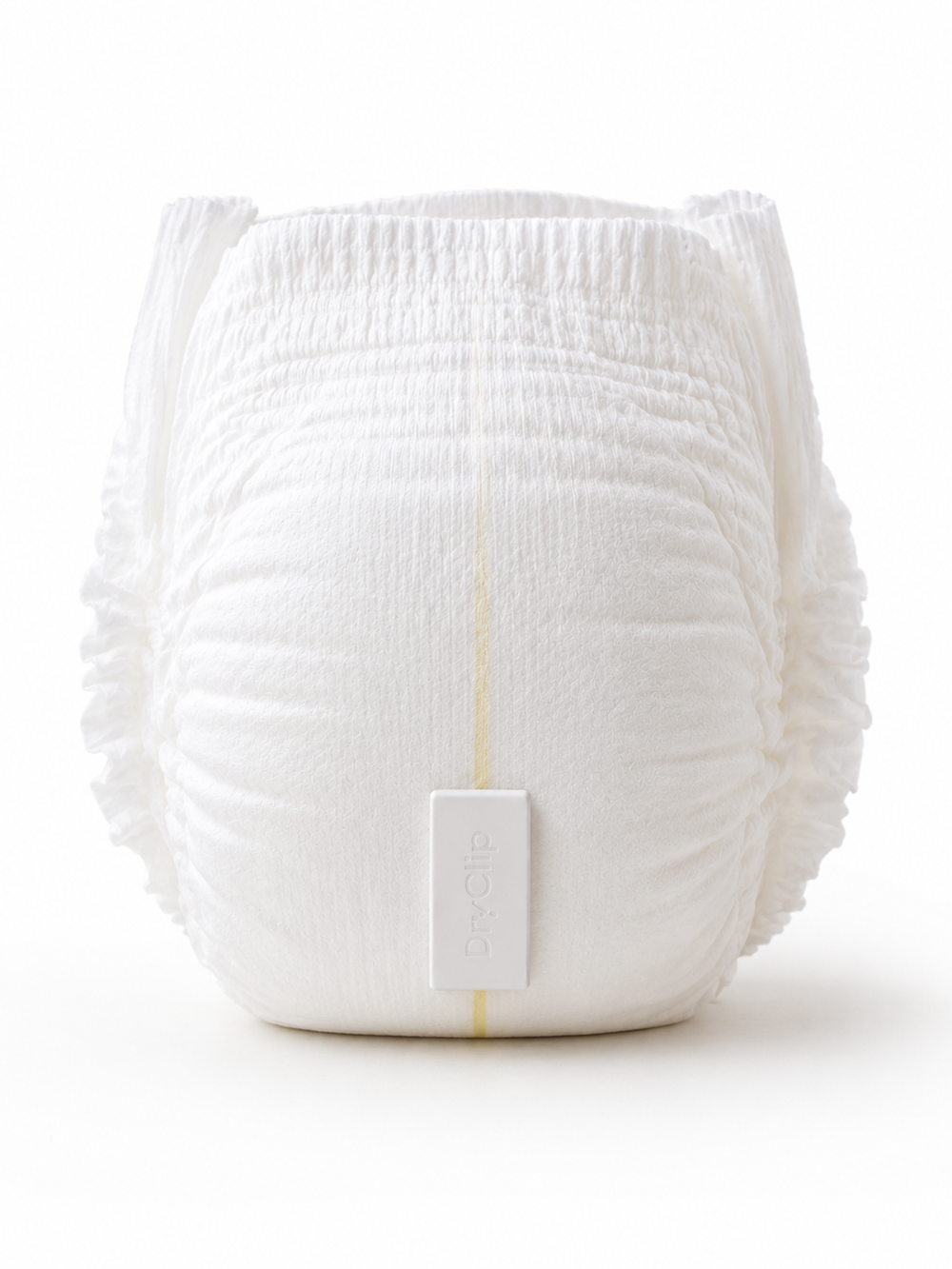
Start with a clean, dry diaper.
Attach & dress
Place DryClip on the outside, at the lower front of the diaper or brief, with the hook strip toward the top. Put outer clothing on before arming.
Arm in the app
Open Live and tap Arm New Diaper. Let arming finish. DryClip establishes a starting baseline with the diaper and clothing in place.
Get alerted. Check.
When the app receives a moisture event, it can notify you on your phone. Check the wearer and diaper or brief, then change as needed.
Keep your phone within Bluetooth range, with Bluetooth and notifications enabled. Detection and notification delivery are not guaranteed to be immediate.
A few minutes of setup.
Charge
Charge with USB-C before setup, then disconnect the cable for use. Never charge a wet or damaged device.
Connect
Install the DryClip app and follow its connection prompts. If the sensor isn’t found, briefly touch the sensor pad to wake it.
Get the iOS or Android app →Check your alerts
Allow Bluetooth access and notifications. Use the app’s test notification to check your phone settings before starting your routine.
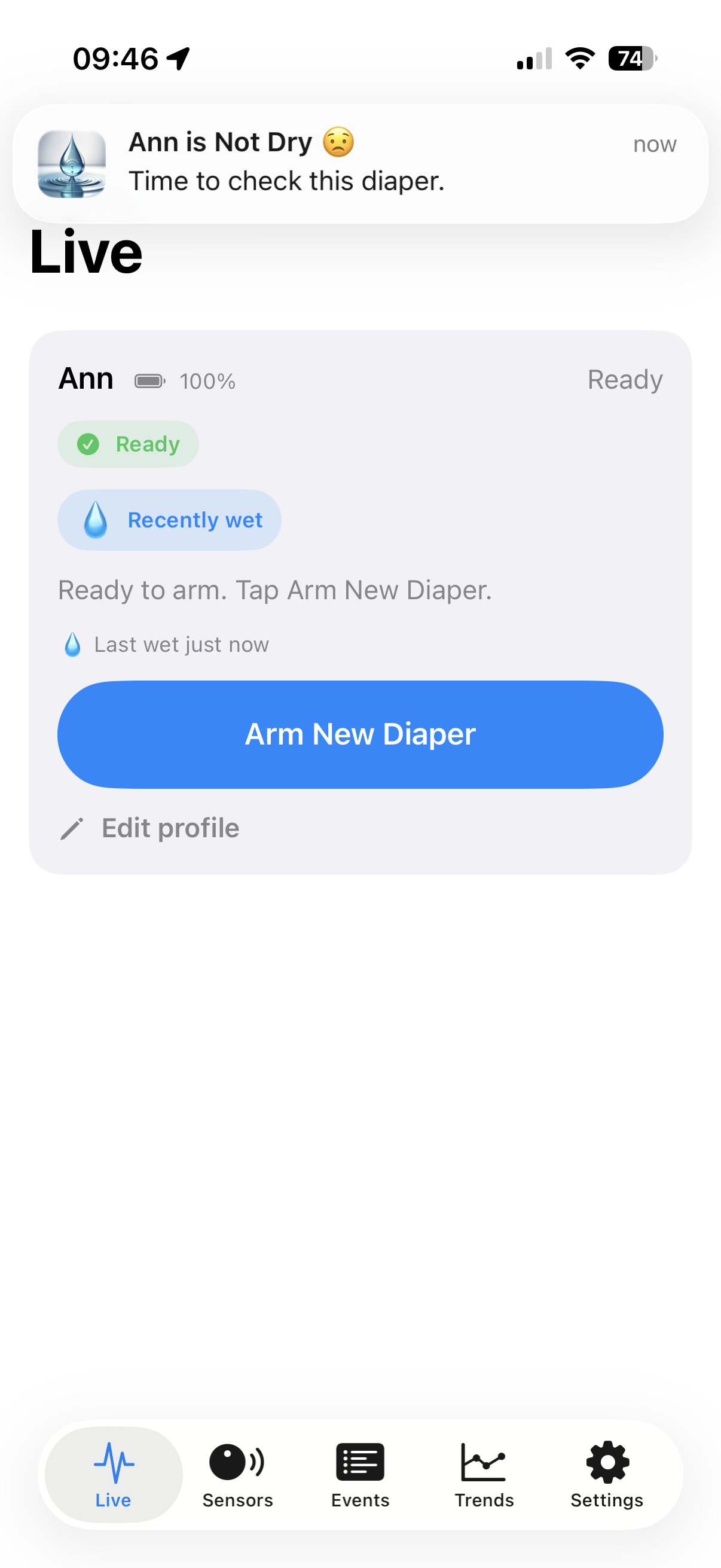
The DryClip iOS app. Screens may vary by version.
A clear view of where you are.
- Ready
- The sensor is ready to be armed. This is not a confirmation that the diaper is dry.
- Arming…
- DryClip is establishing its baseline. Leave the sensor and clothing in their final position while this finishes.
- Monitoring / Low-power mode
- The app shows the armed state. DryClip uses low-power operation between activity; a continuous Bluetooth connection is not required. This status alone does not verify that the sensor is still within range.
- Recently wet / Last wet
- A record of the most recent detected wet event. The app can show this alongside Ready after receiving and acknowledging that event.
After a wet alert, re-arm for the next diaper.
The app acknowledges the event and the sensor returns to an unarmed state. Change as needed, attach to a fresh dry diaper, dress, then tap Arm New Diaper again.
How the sensor and app work together.
01 / Establish
Arming measures a starting sensor reading with the clean diaper and clothing in place.
02 / Compare
The sensor checks for a change in its capacitive reading that meets the selected sensitivity threshold.
03 / Communicate
A detected moisture event is communicated to the nearby app over Bluetooth.
04 / Reset
The app records the event and acknowledges it. The sensor then resets, ready for your next arming.
Settings with a purpose.
Sensitivity
Choose Low, Balanced, or High. Start with Balanced. Sensitivity changes how much of a sensor-reading change is needed to trigger an event.
Retry connection
Choose Off or a 5-, 10-, 20-, or 30-minute retry interval. When an event has not been acknowledged, this lets the sensor try communicating again.
Retries do not extend Bluetooth range or guarantee delivery.
Alert preferences
Check notification timing and snooze settings in your app. These can affect when a notification appears. Options may vary by app version and plan.
Common questions.
Why put clothing on before arming?
Arming captures a starting baseline. Finish attaching the sensor and applying clothing first, so that baseline reflects the setup you will use.
Why does Ready appear after a wet alert?
The app acknowledges a received wet event, and the sensor resets to unarmed. Ready means ready to arm again. Check the diaper; the reset does not mean moisture has disappeared.
What if the sensor isn’t found?
Check the charge and Bluetooth access, bring your phone nearby, then briefly touch the sensor pad to wake it. Follow the app’s connection prompts. Contact support if it still does not appear.
Will every alert arrive immediately?
No. Detection, Bluetooth availability, phone permissions, notification timing, and snooze can affect delivery. Keep your phone nearby and continue regular checks. A test notification checks phone notifications; it does not test moisture detection or the entire Bluetooth path.
Do I need a disposable sensor for each change?
No. DryClip is reusable. Move it to a clean, dry diaper or brief and re-arm for the next monitoring session. DryClip Patch is an optional retention accessory.
How do I care for DryClip?
Use a soft, dry cloth and avoid immersion. Keep the device out of children’s reach when detached. Stop using it if the enclosure or battery is damaged. See the current setup and safety guide for complete precautions.
A small addition to your care routine.
Need a hand? Talk to DryPing support